
How to Replace Projector Lamp: Steps for Any Brand
Cool it, match the part, swap the module and reset the timer. This how to replace projector lamp guide works for most brands in October 2026.
 By Marcus Bell
Updated
By Marcus Bell
Updated

Searching for how to do this can feel like a chore you’d rather skip. A projector lamp rarely dies in a dramatic way. The picture goes dim, colors drift, a warning light shows up, or the unit refuses to start after a long run, and suddenly you’re hunting for a part you’ve never bought. The routine is similar across most brands, but the part number and the exact access panel are specific to your model.
This guide explains how to replace projector lamp without assuming a particular brand, then uses the lamps in the product list to show how listings describe life, power, and warranty. Those lamps span Epson, Hitachi, Sanyo, Sony, and a retrofit kit, so they illustrate how much the details vary. Keep your projector’s model name and manual handy, because they matter more than any general advice. Set aside a quiet half hour, since the job itself is short but the cooling wait is not.
| Award | Product | Best Projector Reviews Score About Best Projector Reviews ScoreBest Projector Reviews Score is a comparison aid based on available product information, not a hands-on testing result. Read our review methods. | |
|---|---|---|---|
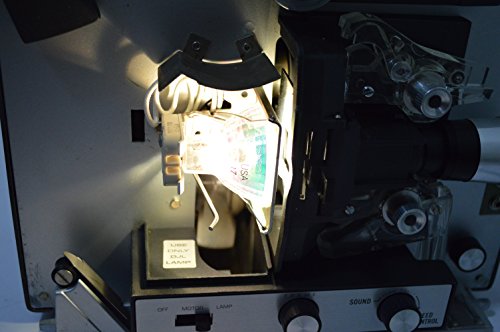 DJL Projector Lamp Bulb Replacement Kit Retrofit
|
8.3/10 | Buy | |
| Best Premium |
 ZMSTLAMP POA-LMP128 610-341-9497 003-120479-01
|
8.9/10 | Buy |
| Best Budget |
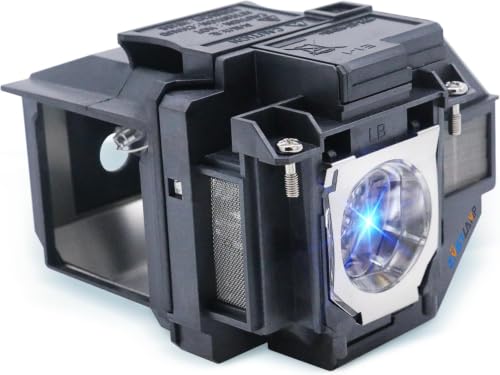 ZMSTLAMP ELP97 Replacement Projector lamp Bulb
|
8.6/10 | Buy |
| Best Overall |
 KAIWEIDI POA-LMP135 Replacement Projector Lamp
|
9.2/10 | Buy |
| Best Value |
 ZMSTLAMP Quality DT00841 DT00911 Quality
|
9.1/10 | Buy |
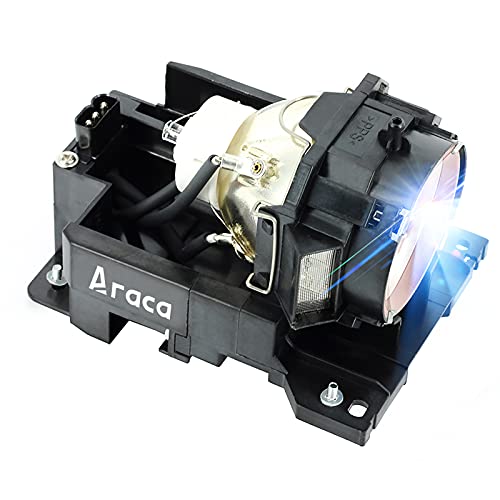 Araca DT00871 Projector Lamp with Housing
|
8.4/10 | Buy | |
 KAIWEIDI Replacement Projector Lamp
|
9.1/10 | Buy | |
 KAIWEIDI XL-2400 Replacement Projector Lamp
|
8.9/10 | Buy | |
 WATOMAN DT01471 Original Replacement Projector
|
8.4/10 | Buy | |
 KAIWEIDI XL-5200 Replacement Projector Lamp
|
8.3/10 | Buy | |
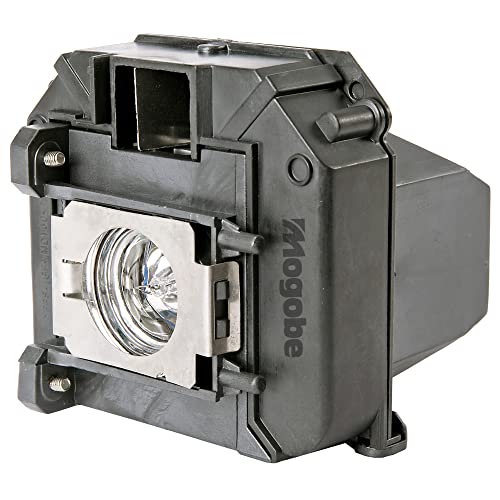 Mogobe for ELPLP60 Replacement Projector Lamp
|
8.0/10 | Buy | |
 ZMSTLAMP for SP-LAMP-058 Quality Replacement
|
8.1/10 | Buy |
Swapping a Projector Lamp From Start to Finish
The overall routine is to confirm the lamp is the problem, find the exact part number, let the projector cool, swap the module, and reset the lamp timer. Each step is short, and the most common mistakes come from skipping the first two or rushing the third. The manual is the final word on cover location, screw type, and timer reset.
The sections below follow that order. Along the way, they point to what the listings state and where the data is silent, so you can judge a listing without guessing.
Confirming the Lamp Is the Real Problem
A dim or discolored picture, a lamp warning, or a projector that powers off after a short time can all point to a worn lamp. They can also come from a dirty filter, blocked vents, a wrong picture mode, or a source device problem. Check those simpler causes before you order a part.
Look in the menu for a lamp hour counter, since many projectors keep track of usage and compare it with the rated life. A high count along with a fading picture is a strong sign. If the counter is low, investigate the filter and vents first.
Do not keep running a lamp that flickers badly or has triggered a warning. An aging lamp can fail suddenly, and replacing it on your own schedule is better than losing the picture mid-film.
Finding the Right Part Number
Lamps are model specific. The part number is usually in the manual, on a label near the lamp compartment, or printed on the old lamp. Write it down with your projector’s full model name before you shop.
The listings show how varied part numbers are. The KAIWEIDI POA-LMP135 Replacement Projector Lamp names a Sanyo POA-LMP135 for PLV-Z models, while the KAIWEIDI Replacement Projector Lamp is listed for Epson ELPLP54 and ELPLP58 with a long list of PowerLite and EB models. The ZMSTLAMP ELP97 Replacement Projector lamp Bulb is listed for the Epson ELPLP97.
Other listings name Hitachi and Sony models. The ZMSTLAMP Quality DT00841 DT00911 Quality and Araca DT00871 Projector Lamp with Housing are listed for Hitachi projectors, and the WATOMAN DT01471 Original Replacement Projector is listed for Hitachi CP-WU8460, CP-WX8265, and CP-X8170. The ZMSTLAMP POA-LMP128 610-341-9497 003-120479-01 is listed for Sanyo and Christie models.
A lamp that fits one projector will not fit another. Compare the number on your old lamp with the listing, and don’t rely on a similar-looking shape.
Lamp Module, Housing, and Bulb: What You’re Buying
A lamp module comes with a plastic or metal housing around the bulb. That’s the easier format for most owners, since you swap the whole unit and never touch the glass. Several listings state that the lamp comes with housing.
A bare bulb needs more careful handling and, in some designs, a fitting step that goes beyond what a typical owner wants to do. If a listing doesn’t say housing is included, ask the seller. Choose the format your projector’s manual describes.
The DJL Projector Lamp Bulb Replacement Kit Retrofit is a different case altogether. It’s described as a retrofit kit that replaces a 15 hour lamp with a 200 hour halogen lamp for Bell and Howell projectors, installed with a Philips screwdriver and no drilling or wire cutting. That is a specialty item, so check its compatibility notes closely.
Reading Lamp Life and Brightness Claims
Listings give rated hours, and they vary widely. The KAIWEIDI POA-LMP135 Replacement Projector Lamp states 2500 to 4500 hours, the KAIWEIDI Replacement Projector Lamp states 4000 hours in normal use and 5000 in ECO mode, and the Araca DT00871 Projector Lamp with Housing states 2500 hours, with 3000 in ECO mode. The ZMSTLAMP listings state about 3000 and 5000 hours for different lamps.
The Sony-style listings, KAIWEIDI XL-2400 Replacement Projector Lamp and KAIWEIDI XL-5200 Replacement Projector Lamp, state 6000 to 8000 hours and 8000 hours. The WATOMAN listing states 2,000 to 3,000 hours. These are seller claims, and the data does not include independent tests.
Some listings also state lumens or power, such as 2200 lumens for the ELPLP54 lamp, 4000 lumens for the Hitachi DT00871, and 120W or 200W lamp power for the Sony and WATOMAN listings. Treat these as listing statements. Real life depends on room temperature, on-off cycles, and whether you use a lower brightness mode.
Brand-Name Lamps Versus Third-Party Replacements
Many listings are third-party replacements made to fit a named projector. The WATOMAN listing describes its lamp as a genuine original bulb with a complete housing, but that wording is the seller’s statement. If original-brand parts matter to you, ask the seller to confirm the source before you buy.
Third-party lamps can work well, but they vary in build and support. That variation is why warranty terms, return policies, and clear compatibility lists matter. Read reviews for the specific seller if you can, and buy from a source that accepts returns.
Never assume a replacement is identical to the part it replaces. Listings use phrases such as the same function as the original, which is a marketing statement and not a measured result. Use the lamp’s stated hours and your own counter to judge it over time.
Warranty and Return Terms
Support terms differ by seller. The KAIWEIDI Epson listing mentions 200 days of technical support, and the Sony-style KAIWEIDI listings mention a 120-day warranty. The Araca listing states 200 days with a replacement or refund.
The WATOMAN listing states a 30-day refund and a 180-day replacement warranty. The ZMSTLAMP Sanyo listing states a 220-day warranty and a 30-day money-back policy. Read the terms on the order page, since the summary text in a listing can be incomplete.
A long warranty is helpful only if the lamp fits. Confirm the match first, then compare the terms. Keep the packaging and order details until the lamp has run for a while.
Power, Heat, and Why Housing Matters
Lamp power affects heat, and heat affects how the projector cools. A 200W lamp, as stated in two of the listings, makes more heat than a lower-power lamp, so the projector’s fan and vents work harder. Use the lamp specified for your model rather than a higher-power part.
The housing helps with heat as well. Several listings describe a high-temperature-resistant housing and note that it makes the swap simpler. A damaged housing, a bent connector, or a cracked glass should send the lamp back to the seller.
Give the projector room to breathe after the swap. Keep the vents clear and avoid placing it where hot air from the exhaust has nowhere to go. Overheating is one of the main reasons lamps age early.
Preparing for the Swap Safely
Turn the projector off with its normal power button and let the fan finish its cooling cycle. Unplug the power cord, and wait until the lamp area is cool. A used lamp is hot enough to burn skin, so give it time.
Choose a clean, flat surface and gather a small screwdriver, the new lamp, and the manual. If the projector hangs from the ceiling, have a helper support it or call a qualified installer. Follow the mount’s weight guidance.
Never work on a plugged-in projector. Also do not bypass the lamp-door safety switch, which cuts power when the cover is open. That switch is there to protect you.
Removing the Old Lamp and Fitting the New One
Open the lamp cover as the manual describes, which may be on the top, bottom, or side. Loosen the screws holding the lamp module, then slide it out by its handle. Do not open other panels or touch internal parts.
Handle the new module by its housing and keep fingers off the glass. Slide it in until it seats firmly, tighten the screws, and close the cover. A module that won’t seat usually points to the wrong part or a bent connector.
Plug in the projector and test it. If it shuts off or a warning stays lit, power down, let it cool, and check that the lamp and cover are fully in place. An unseated cover is a common reason a projector won’t start.
Resetting the Lamp Counter
After a new lamp is in, reset the lamp hours in the menu, using the path in your manual. Do this only after the swap. The counter is how the projector reminds you when the next lamp is due.
If you skip the reset, the projector may keep showing a lamp warning. If it still appears after a reset, check the lamp seating. Some older models track usage in different ways, so follow the manual.
Not every projector has a counter you can reset. If yours doesn’t, note the date of the swap and track hours yourself.
Old Projectors and Special Cases
The Sony, Sanyo, Hitachi, and Bell and Howell listings show how many older designs remain in use. Parts for those may be harder to find, and listings are the main source. Take extra care to match the number and read the compatibility lists.
For a professional-series projector in a classroom or a business, a facilities team may handle replacements. If your workplace has a service contract, check it before you buy a lamp, since some contracts require approved parts.
When in doubt about a ceiling-mounted or high-output unit, ask a qualified technician. It’s a small cost compared with a damaged projector or an injury.
Disposal, Storage, and Keeping the Next Lamp Healthy
Many lamps contain materials that need special disposal, so check local recycling rules and avoid breaking the glass. Store spares in their original boxes, away from heat and moisture.
Clean or replace the filter as the manual describes, keep vents clear, and let the projector cool before moving it. Using a lower brightness mode in a dark room may reduce wear when your model has one.
Plan the next swap from the hour counter and keep the part number written down. With the right match, a cool unit, and a calm pace, replacing a lamp is a short job.
About the author
Most projector frustration is a setup problem: wrong throw distance, a bracket in the wrong spot, a cable that will not carry the signal. I write step by step guides for mounting, placement, connecting laptops, phones, and streaming sticks, and getting a straight, sharp picture. I like checklists and I try to say what to measure before you drill anything. My notes follow the site's review methods: research-based comparison, not lab testing.