
How to Make a Projector With Your Phone: DIY or Buy
Find out how to make a projector with your phone, from a simple DIY lens setup to a phone-friendly mini projector, with limits explained in October 2026.
 By Marcus Bell
Updated
By Marcus Bell
Updated

A phone screen is great for one person and awkward for a group. That’s usually what sparks the idea of turning the phone into a projector for a family movie, a camping night, or a quick classroom demo. The idea is fun, but the results depend heavily on how dark the room is and how realistic your expectations are. A few minutes of planning separates a fun evening from a frustrating one.
Anyone asking how to make a projector with your phone has two real paths. One is a do-it-yourself lens-and-box setup that magnifies the phone’s own screen, and the other is a small projector that takes video from the phone over Wi-Fi or a cable. This guide covers how each approach works, where the dim image problem comes from, and what the mini projector listings do and don’t promise. By the end, you’ll know whether a weekend build or a purchase fits what you actually want to do.
| Award | Product | Best Projector Reviews Score About Best Projector Reviews ScoreBest Projector Reviews Score is a comparison aid based on available product information, not a hands-on testing result. Read our review methods. | |
|---|---|---|---|
| Best Overall |
 CAMWORLD Mini Portable Projector with Battery,WiFi
|
8.8/10 | Buy |
| Best Budget |
 Mini Projector, HD 1080P WiFi Video Projector
|
8.6/10 | Buy |
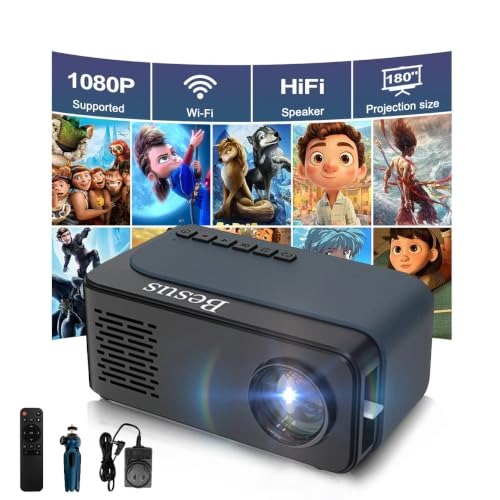
 Mini Projector,1080P Support Portable Projector
|
8.3/10 | Buy |
The Short Answer: A DIY Phone Projector Works, but Only Under Tight Conditions
A homemade phone projector can throw a small, soft, fairly dim image onto a wall in a very dark room. It works by placing a magnifying lens between the phone screen and a surface, which enlarges the picture. It’s a good science activity and a decent party trick, but it isn’t a substitute for a real projector for movies.
A mini projector built for phones adds its own light source, lens, and often wireless casting. That’s why it can show a brighter and larger picture, and why it tends to be the better answer when you actually want to watch something. Which path suits you depends on your goal, your budget, and how much tinkering you enjoy.
How the DIY Lens-and-Box Version Works
The basic build uses a cardboard or similar box, a magnifying lens, and a way to hold the phone so its screen faces the lens. The screen’s light passes through the lens and lands on a wall or sheet. The image comes out upside down and mirrored unless the phone’s picture is flipped, so most builders lock screen rotation and rotate the phone or use a display setting.
The image brightness depends on the phone’s own backlight, since there’s no separate lamp. Because a phone screen is small and not very bright compared with projector lamps, the picture gets dimmer as it grows. That’s why the room needs to be as dark as you can manage and why small images look better than large ones.
Focus comes from moving the lens or the phone back and forth until the picture sharpens. A larger, better-quality lens generally gives a clearer picture, but the image will still be softer than what a purpose-built lens produces. Expect to adjust the distance every time you change the screen size. Small shifts of a few millimeters can matter, so a sliding tray or adjustable stand makes the process far easier than holding everything by hand.
Safety and Practical Cautions for a Homemade Build
Keep the phone from overheating by leaving ventilation gaps in the box, because a phone enclosed in a sealed container with the screen on can get warm. Don’t leave it unattended, and take it out if it feels hot. Avoid any build that traps the charger, battery, or cable in a way that stresses the connector.
Use the lens carefully, because a magnifying lens can focus sunlight into a hot spot. Store it away from windows and don’t leave it where the sun can reach it, since that can damage surfaces or start a fire. Keep the build out of reach of small children, and use real tape or stands rather than anything that might drop the phone.
The Limits You Should Expect
A DIY phone projector gives a picture whose size and brightness are limited by the phone screen and the lens. Text may be hard to read, and dark scenes in movies tend to disappear. It also gives no sound improvement, so you’ll still rely on the phone’s speaker or an external one. A small Bluetooth speaker placed near the screen helps a group hear dialogue.
Keep the image modest, around the size of a small poster, for the best clarity. Turn the phone’s brightness all the way up and disable any auto-dimming setting before you start, since the screen is your only light source. If you want more than that, or a picture that works with a bit of room light, you’ll need a real projector with its own light source. That’s the point where the mini projector route makes more sense.
Mini Projectors That Take Video from a Phone
A purpose-made mini projector solves the brightness problem with its own LED light source and lens. The listings include three that mention phones, and each shows different strengths and caveats. None of the data here is verified testing, so treat the figures as manufacturer-stated.
CAMWORLD Mini Portable Projector with Battery
The CAMWORLD listing (CAMWORLD Mini Portable Projector with Battery,WiFi) describes a rechargeable battery that powers the unit for up to three hours in energy-saving mode or 60 minutes at full brightness, with DC power also available for indoor use. It lists 300 ANSI lumens from an LED light source, a 1300:1 contrast ratio, a 720p native resolution with 4K decoding, and Android 11.0 for built-in streaming apps. The listing also mentions Wi-Fi 6 and Bluetooth 5.2.
Setup features include a 220-degree rotatable base, auto vertical keystone correction, and manual focus only, with no autofocus. The listing gives a 30- to 150-inch screen range with an optimal distance of about five feet. The manufacturer says it’s optimized for dark environments, which matches how projectors behave in general.
SEXZCUSKT Mini Projector
The SEXZCUSKT listing (Mini Projector, HD 1080P WiFi Video Projector) describes a small projector measuring about five by 3.2 by 1.9 inches and weighing about 0.6 pounds, with a mini tripod included. It lists Wi-Fi mirroring from phones and an HDMI connection that’s included in the package. The listing also carries a useful warning about HDCP: mirroring from some apps, such as Hulu, may show no image or sound.
For those apps, the listing suggests inserting a TV stick or Chromecast into the projector instead, or connecting a laptop by HDMI. That’s a common limitation across low-cost projectors, so it’s wise to plan for it. If you mostly stream from a single app, check that the app works in the way you intend before buying. The listing also recommends a dark room for the best picture.
Polaring Mini Projector
The Polaring listing (Mini Projector,1080P Support Portable Projector) describes a 720p-native model with 1080p support, manual focus, and manual keystone correction. Its brightness figures are inconsistent: the product title says 200 ANSI, while the feature text cites 300 ANSI lumens and a separate 15000LM light-source number. Light-source lumens and ANSI lumens aren’t the same measure, so use the ANSI figure as the more meaningful one and treat the discrepancy with caution.
The listing gives a 35- to 170-inch screen range at roughly 1.46 to five meters and notes that iPhone connection needs an HDMI adapter. That caveat matters, because a phone cable alone won’t produce a picture on many iPhones. It also lists HDMI, USB, Type-C, and TF card inputs, which gives you several ways to bring in video if wireless casting misbehaves. Having a wired fallback is useful when a Wi-Fi network is crowded or unavailable.
Choosing Between DIY and a Phone-Ready Projector
If the goal is curiosity, a school project, or a rainy-day activity for kids, the DIY version is worth trying and costs almost nothing. It teaches how lenses work, and it lets you see why real projectors need a stronger light source. Treat the result as a demonstration rather than a way to watch a full movie.
If the goal is actual viewing, a mini projector is the more practical choice. Look at the native resolution, because a 720p-native projector that accepts 1080p or 4K input still shows the picture at its native pixel count. Also check whether keystone correction is automatic or manual, since that determines how easy it is to square up the image when the projector sits at an angle.
Next consider how the projector connects. Wi-Fi mirroring is convenient but may be blocked by some apps, and wired connections can need an adapter that matches your phone’s port. A projector with built-in apps avoids mirroring for many streaming services, while a model with HDMI input lets you add a streaming stick.
Getting the Most Out of a Phone-Connected Projector
Choose a dark room, because the brightness numbers on small projectors are modest and ambient light washes out the image quickly. Place the projector on a stable surface, or use the supplied tripod, and aim it so it’s close to square on the screen to limit keystone correction. A plain white wall or a simple screen surface works better than a textured or colored one. If your wall has a strong texture, a smooth white sheet pulled tight can improve the picture noticeably.
Set the phone’s screen to stay awake and turn on auto-rotate if you want landscape video. If mirroring fails, check that both devices are on the same Wi-Fi network and that the phone isn’t in a power-saving mode that interrupts casting. For protected apps, use the projector’s built-in apps or a streaming stick instead of mirroring.
Keep the projector’s vents clear, and let it cool before you pack it away. Don’t look into the lens while it’s on, particularly if children are nearby. Follow the manufacturer’s safety instructions, and use the supplied power cable or an adapter the maker specifies.
What to Verify Before You Commit
Compare the specifications and check that the listing states the connection method for your phone. Confirm whether it needs an adapter, whether it supports casting from your phone’s operating system, and whether it includes the cables you need. Battery run time is also worth a look if you plan to use it outdoors, since the figures in the CAMWORLD listing show it can be short at full brightness.
For a one-time experiment, build the lens box and see how it looks. For regular movie nights, a mini projector with a stated resolution, brightness, and connection method is the safer bet. In both cases, darkness matters more than any single specification, so plan the room before you plan the gear. Blackout curtains or a closet-sized dark space often improve the picture more than any upgrade.
About the author
Most projector frustration is a setup problem: wrong throw distance, a bracket in the wrong spot, a cable that will not carry the signal. I write step by step guides for mounting, placement, connecting laptops, phones, and streaming sticks, and getting a straight, sharp picture. I like checklists and I try to say what to measure before you drill anything. My notes follow the site's review methods: research-based comparison, not lab testing.