
How Does Laser Projector Work? Laser to Screen Explained
A laser swaps the bulb for solid-state light. See how does laser projector work, from light source to lens, plus lifespan caveats. October 2026.
 By Daniel Whitaker
Updated
By Daniel Whitaker
Updated

A lamp projector fades a little every month, and one day the picture looks tired or the bulb simply quits. Laser models were built to get around that, which is why shoppers keep asking what is actually happening inside the box. The short version is that a laser light source replaces the bulb, while the rest of the optical chain looks familiar.
To understand how does laser projector work, it helps to follow the light from the source to the screen: laser diodes create the light, a color system turns it into red, green, and blue, an imaging chip shapes the picture, and a lens throws it forward. Each step affects brightness, color, and lifespan in different ways. This guide is research-based, so it explains the technology and the claims in the product listings rather than reporting results from hands-on testing, lab measurements, or personal viewing sessions.
| Award | Product | Best Projector Reviews Score About Best Projector Reviews ScoreBest Projector Reviews Score is a comparison aid based on available product information, not a hands-on testing result. Read our review methods. | |
|---|---|---|---|
| Best Overall |
 NexiGo Aurora Pro Ultra Short Throw 4K Tri-Color
|
8.9/10 | Buy |
| Best Budget |
 ViewSonic LS740HD 1080P Laser Projector
|
8.4/10 | Buy |
| Best Value |
 Valerion VisionMaster Pro 4K Laser Projector(2026)
|
8.3/10 | Buy |
|
ViewSonic LS740W WXGA Laser Projector
|
8.1/10 | Buy | |
| Best Premium |
 NexiGo Aurora Pro Ultra Short Throw 4K Tri-Color
|
8.0/10 | Buy |
From Laser Diode to Projected Image
A laser projector produces its light with laser diodes instead of a lamp, and then uses an imaging chip and a lens to turn that light into a picture. The diodes are solid-state parts, much like the ones in other electronics. They don’t have a filament or a glass bulb that wears out in the usual way, which is the main reason laser models are marketed as low-maintenance.
Everything after the light source is shared with other projector types. A chip or panel decides which pixels are bright, dark, or colored, and the lens focuses the result onto a screen. So the laser changes where the light comes from and how long it lasts, but it doesn’t remove the need for a good chip, good optics, and a decent screen.
Blue Laser Plus Phosphor: The Common Design
Many laser projectors use a blue laser aimed at a spinning wheel coated with phosphor. The phosphor glows when the blue light hits it, producing a yellow or green light that gets filtered into the colors the picture needs. This approach is often called laser phosphor, and it is simpler and cheaper than building every color from a separate laser.
The ViewSonic LS740HD listing describes this kind of source. It is shown as a laser phosphor light source, and the listing states up to 30,000 hours of operation in Dynamic Eco mode. That figure is a manufacturer claim tied to a specific brightness mode, so it describes the rated life under those conditions, not a promise for every viewing hour. Running at full brightness would be a different situation.
The same listing gives a 5,500 ANSI lumen rating for its 1920 x 1080 picture, along with a 1.13 to 1.47 throw ratio and a 1.3x optical zoom. A bright rating like that suits classrooms, boardrooms, and golf simulators, which the listing names as intended uses. It is a business-oriented design rather than a home theater one.
RGB and Tri-Color Lasers
Another design uses separate red, green, and blue lasers and mixes them directly. Because each color comes from its own source, the primaries can be very pure, which supports a wide color range. The NexiGo Aurora Pro listings describe a tri-color laser using what they call ALPD 4.0 RGB+ technology.
Those listings also state a native contrast ratio above 3000:1 and 2,400 lumens of brightness, with dynamic laser dimming that lowers the black level. They claim support for Dolby Vision and HDR10+ as well. Each of those is a manufacturer statement, so it is best read as what the maker says the projector does rather than something confirmed here.
The Valerion VisionMaster Pro listing takes a similar color-focused angle. It cites a 15,000:1 contrast ratio, 2,500 ISO lumens, and a 110% Rec.2020 color gamut figure. Note that ISO lumens and ANSI lumens are measured under related but different methods, so comparing those numbers directly can mislead.
What the Chip and Lens Do With the Light
The Imaging Chip: DLP, LCD, and LCoS
The laser only supplies light. A separate imaging device then builds the picture, and the main types are DLP, LCD, and LCoS. DLP uses tiny mirrors that tilt to send light toward or away from the lens, LCD uses panels that let light through or block it, and LCoS uses a reflective liquid crystal layer.
The listings don’t always say which chip a given model uses, so avoid assuming. When a listing names the technology, you can reason about it: DLP is often associated with sharp, compact designs, while LCD is associated with consistent color brightness. When it doesn’t, treat the chip type as unknown and look for it on the manufacturer’s page.
Resolution comes from this chip too. A native 1080p chip has about two million pixels, and a 4K chip has roughly four times that. Some projectors use a smaller chip and shift it quickly to approximate a higher resolution, which is why the phrase “4K” in a title doesn’t always mean a 4K chip.
The Valerion listing mentions 4K UHD clarity enhanced by AI super resolution, and the NexiGo listing names 4K in its title. Neither listing clearly states native 4K pixel count, so it is safer to describe them as 4K-class projectors until the maker confirms the chip. The ViewSonic LS740W title lists WXGA at 1280 x 800, which is a lower-resolution wide format.
Lens, Throw Ratio, and Ultra-Short-Throw Optics
The lens focuses the picture and decides how far the projector must sit from the screen. Throw ratio is that distance divided by image width, so a smaller number means the projector can sit closer. The ViewSonic LS740HD lists 1.13 to 1.47, while the Valerion lists 0.9 to 1.5 with an adjustable lens system.
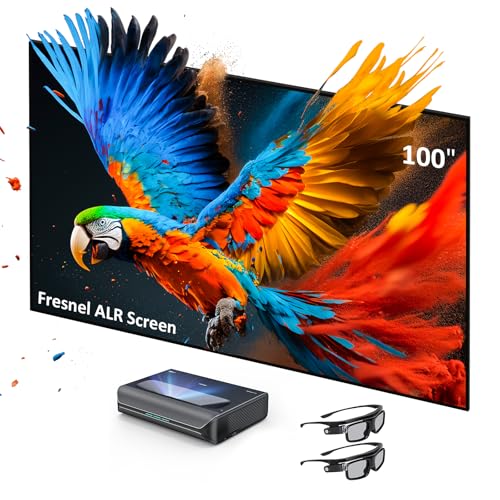
Ultra-short-throw models such as the NexiGo Aurora Pro use a special lens and mirror arrangement so the projector can sit just inches from the wall. That makes them popular as a TV replacement in living rooms. The listing pairs the projector with a Fresnel ambient-light-rejecting screen, which is designed to favor light from the projector’s low angle over light from room lamps.
That kind of screen works only with the right projector placement, so don’t mix a short-throw screen with a standard projector. Two NexiGo listings differ mainly in screen size, at 120 inches and 100 inches. Check which bundle you are looking at, since the projector inside appears to be the same.
Placement Tools: Keystone, Zoom, and Lens Adjustment
Most listings include some placement help. The ViewSonic LS740HD lists horizontal and vertical keystone, four-corner adjustment, portrait mode, and 360-degree projection for awkward ceiling installs. The Valerion lists automatic focus and keystone correction.
Keystone and corner tools reshape the image digitally to square it up. They are handy, but they can soften edges, so aim for a straight-on position first. Optical zoom changes image size without moving the projector and generally costs less quality than digital correction.
What Laser Changes in Day-to-Day Ownership
Brightness Over Time and What Rated Life Means
A lamp loses brightness gradually and then needs replacing. A laser also dims slowly over its life, but manufacturers describe the decline as gentle and the lifespan as very long. The listings that mention hours treat them as ratings under particular modes, so a rating is a design target, not a measurement of the unit you receive.
Rated life depends on how hard the source is driven. Eco or dimming modes reduce output and extend the stated hours, while full brightness shortens them. The NexiGo listings say their dynamic laser dimming lowers black levels and saves energy, which also suggests the source isn’t always running at maximum.
Replacement costs also work differently. A lamp projector has a predictable consumable you can buy, while a laser unit may have no user-replaceable source at all. If the source fails, service rather than a bulb swap is the likely route, so warranty terms matter more with laser models.
Color, Contrast, and the Rainbow Question
Laser light is narrow and pure, so it can show more saturated colors than a lamp. That is why wide color gamut claims often appear on laser listings. A wide gamut only helps if the content and the picture mode use it, so standard video may not look dramatically different.
Single-chip DLP projectors can show a rainbow effect for some viewers, flashing colored trails during fast motion. The Valerion listing claims its design is free from rainbow effects, which is a manufacturer statement. Sensitivity varies by person, so if you’ve noticed rainbows on other projectors, check the return policy.
Contrast depends heavily on the room and screen, as well as on the projector. A dark room lets the dimming and native contrast shine, while a bright room lifts the blacks no matter the technology. The advertised figures describe the projector under ideal conditions.
Noise, Heat, and Connectivity
Laser diodes and phosphor wheels still produce heat, so these projectors have fans and heat sinks. Listings rarely give decibel figures, and none of the listings do, so noise levels are unknown here. Keep the vents clear and let the unit finish its cooldown before unplugging it.
Connectivity varies by purpose. The ViewSonic LS740HD lists dual HDMI 1.4 inputs, USB Type A, RS232 control, audio out, and a 15W speaker, which fits installed presentation systems. The NexiGo listings mention 60W built-in stereo speakers with Dolby Atmos support and eARC.
The Valerion listing describes a 4ms input lag and 240Hz refresh rate with game modes. Those are manufacturer claims, and they likely apply under specific settings. Gamers should check the conditions behind any lag number.
Safety and Buying Notes
Laser projectors are sold as consumer products with built-in safeguards, but the guidance is still simple. Never look into the lens while the unit is running, keep children and pets away from the beam path, and follow the manufacturer’s safety instructions. Do not open the housing.
Ceiling mounting adds another layer, so use the hardware the manufacturer specifies and consult a qualified installer for overhead work. The ViewSonic listing mentions ceiling mount and 360-degree use, but the mount itself must match the projector’s weight and the ceiling structure.
One more caution applies to the ViewSonic LS740W entry. Its supplied feature text describes a 22-inch touchscreen monitor rather than a projector, so the details do not match the title. Confirm the product on the retailer page before you rely on any specification from that listing.
To sum up the mechanism: laser diodes make the light, phosphor or RGB lasers supply the colors, a chip builds the image, and a lens throws it. The practical decision is whether you want the long source life and color purity badly enough to accept a higher price tier and a service-based repair path. If you do, match the throw ratio to your room and read the lumen standard before anything else.
About the author
I care more about how a projector handles a dark scene than about any single number on a spec sheet. My beat here is home theater: contrast, black levels, HDR handling, and how the same picture holds up in a dedicated room versus a living room. I write the way I shop. I compare spec sheets, read what owners complain about most, and point out the trade-offs before the highlights. If a feature only looks good on paper, I will say so. My notes follow the site's review methods: research-based comparison, not lab testing.