Best Console Gaming Projectors With Edge Blending Review
Best console gaming projectors with edge blending, updated for November 2026, with practical guidance on input lag, brightness, resolution, and setup.
 By Marcus Bell
Published

Gaming Projector Buying Priorities
Controller response can feel very different across projectors, so the stated input lag, refresh rate, and supported resolution deserve more attention than a broad 4K or gaming label. The ViewSonic PX749-4K 4K UHD Gaming Projector 4000 is the only model here with a listed 4.2ms input lag and a specific 1440p at 120Hz Xbox mode, while its headline 240Hz refresh rate still needs to be matched with the right signal. The other listings focus more on smart features, portability, and media playback, and they do not provide input-lag or refresh-rate figures. That makes this group useful for buyers comparing best console gaming projectors with edge blending, but edge blending itself is not identified as a feature for any listed model.
Room conditions and placement matter just as much. ViewSonic lists 4,000 ANSI lumens, a 1.3x optical zoom, horizontal and vertical keystone, four-corner adjustment, and a 100-inch image from 13 feet, which gives dedicated media-room buyers more setup information. HAPPRUN lists 2,500 ANSI lumens, native 1080p with 4K decoding, and a 40 to 300-inch range, while both VISSPL models list native 1080p, 4K decoding, AI focus, 6D auto keystone, and digital zoom. For broader gaming projector comparisons, see the gaming projector review guide. HDMI versions, bandwidth, VRR, ALLM, and a dedicated low-latency picture mode are not stated for these products, so console and PC buyers should verify those details before purchasing.
| Award | Product | Best Projector Reviews Score About Best Projector Reviews ScoreBest Projector Reviews Score is a comparison aid based on available product information, not a hands-on testing result. Read our review methods. | |
|---|---|---|---|
| Best Overall |
 ViewSonic PX749-4K 4K UHD Gaming Projector 4000 |
8.8/10 | Buy |
| Best Value |
 【Google TV & 4K】Smart Projector with WiFi |
8.6/10 | Buy |
| Best Premium |
 HAPPRUN 2500 ANSI Google TV Built-in Smart Movie |
8.6/10 | Buy |
| Best Budget |
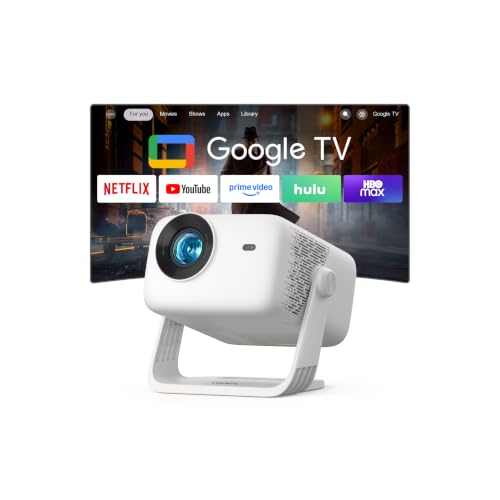 【Google TV & 4K】Smart Projector with WiFi |
8.0/10 | Buy |
 New Retro Game Console with Projector,4K HD |
7.8/10 | Buy |
FAQs
Which projector lists the clearest input-lag information for console gaming?
ViewSonic lists 4.2ms input lag for the PX749-4K. The supplied information does not identify the test method or every picture mode, so treat it as a manufacturer-listed specification and verify the preferred mode before buying.
Does the ViewSonic support 120Hz gaming?
Yes, the listing specifies 1440p at 120Hz for native Xbox compatibility. Its separate 240Hz claim should not be treated as 4K or 120Hz support at every resolution without checking the signal requirements.
Are HDMI features such as VRR and ALLM provided?
The available product information does not state HDMI versions, bandwidth, VRR, ALLM, or eARC for the listed models. Check the manufacturer specifications for your console or PC connection before purchase.
Which models have native 4K resolution?
ViewSonic lists 4K UHD at 3840x2160p. HAPPRUN and both VISSPL listings specify native 1080p with 4K decoding, so decoding 4K content is not the same as native 4K projection.
Can these projectors work in rooms with ambient light?
ViewSonic lists 4,000 ANSI lumens for environments with moderate ambient lighting, and HAPPRUN lists 2,500 ANSI lumens for day and night viewing. Actual results depend on room light, screen material, and image size, and the VISSPL brightness figures are not specified in the supplied data.
Do any of these models support edge blending?
Edge blending is not listed for any of the five projectors. Buyers who need a multi-projector edge-blended display should request confirmation from the manufacturer rather than infer support from keystone, zoom, or digital image-adjustment features. For another gaming-focused comparison, review the budget gaming projector guide.
About the author
Most projector frustration is a setup problem: wrong throw distance, a bracket in the wrong spot, a cable that will not carry the signal. I write step by step guides for mounting, placement, connecting laptops, phones, and streaming sticks, and getting a straight, sharp picture. I like checklists and I try to say what to measure before you drill anything. My notes follow the site's review methods: research-based comparison, not lab testing.