
What Is a Rear Projector? Plain-English Answer
A rear projector shines from behind a see-through screen. Learn what is a rear projector, what setup it needs, and which gear works for it in October 2026.
 By Maya Okonkwo
Updated
By Maya Okonkwo
Updated

Picture a party where guests keep walking through the beam and casting shadows on the screen. Rear projection avoids that problem by putting the projector behind the screen, so the audience sits on the other side and the beam stays clear. That setup is the short answer to what is a rear projector, and it is common at events, stages, and exhibits.
The idea is simple, but the details matter more than people expect. Rear projection needs a screen that lets light pass through, a deep enough space behind it for the projector’s throw distance, and a projector that can flip the image so it reads correctly from the front. This guide explains how it works, what to look for in a screen and projector, and where the portable models and dual-use screen in the product list below fit, using only the details and general projection principles. Specs quoted are manufacturer claims, not test results.
| Award | Product | Best Projector Reviews Score About Best Projector Reviews ScoreBest Projector Reviews Score is a comparison aid based on available product information, not a hands-on testing result. Read our review methods. | |
|---|---|---|---|
| Best Overall |
 Yaber T1 Pro2 Mini Projector with WiFi
|
8.3/10 | Buy |
| Best Budget |
 Akia Screens 120" Dual Projection Projector
|
7.8/10 | Buy |
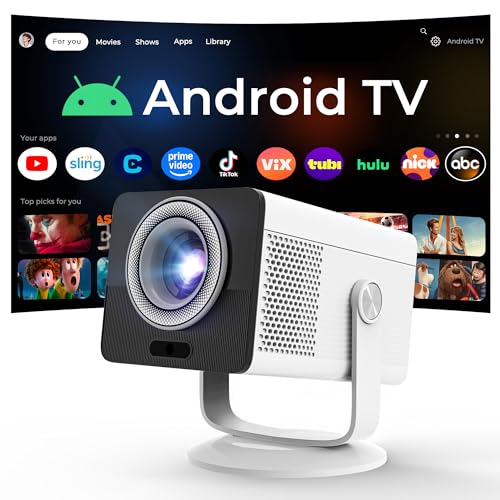 HP Projector Built-in Apps
|
7.8/10 | Buy |
What a Rear Projector Setup Is, and How It Works
A rear projector is a projector placed behind a translucent screen, shining its image through the screen toward the audience. The viewer sees the picture on the front of the screen and never sees the projector or the beam. In practice, the phrase can describe a projector set up in rear mode, a dedicated rear-projection screen system, or an older rear-projection TV.
The sections below start with the mechanics, then cover the screen, the space you need, and the projector features that help. They end with how the listed items relate to rear use and when front projection is the easier choice. Along the way, the guide flags the questions the listings leave unanswered.
How Light Travels in Rear Projection
In a front setup, the projector sits in front of or above the audience and the light bounces off an opaque surface. In a rear setup, the light passes through a semi-transparent screen and is scattered toward the audience. Because the audience looks at the opposite side of the surface from where the projector aims, the image must be reversed in the projector’s settings or it will appear mirrored.
Most projectors that support rear use have a menu option for it. Look for words like rear, back, or flip horizontal in the installation or projection settings. The listings do not mention such a setting, so check the manual for your exact model before you plan a rear setup.
Ceiling mounting and rear mode can combine. If a projector is mounted upside down behind the screen, you may need both a ceiling setting and a rear setting. Always follow the manufacturer’s guidance on mounting and placement.
Why People Choose Rear Projection
The biggest advantage is that nobody can block the beam. Presenters, performers, and guests can walk in front of the screen without casting shadows, and the projector stays out of sight. That makes rear projection popular for stages, trade show booths, and events where people circulate.
Another benefit is that the equipment is hidden. Cables, fans, and light spill are behind the screen, which keeps the viewing area cleaner and quieter. Fan noise still exists, but it is aimed away from the audience.
The tradeoff is space. You need a clear area behind the screen that matches the projector’s throw distance, and you need access to the equipment for setup. Small rooms may not have the depth, which is why front projection remains the default for many homes.
The Screen Matters More Than in Front Projection
A rear-projection screen has to let light through while keeping the picture crisp. A normal front-projection screen is opaque, so using it for rear projection results in a dim, uneven image or no picture at all. Look for a screen listed for rear projection, or for dual front and rear use.
The Akia Screens 120 inch Dual Projection screen listed here is described as supporting both front and rear projection. The listing gives a 16:9 aspect ratio, a viewable area of 58.8 by 104.6 inches, a gain of 1.1, and a 160 degree viewing angle. It also describes a foldable, anti-crease design with metal grommets and rigging cords for hanging.
Those figures are manufacturer claims. Gain describes how much light the surface sends back toward the viewer, and a higher value can look brighter but may narrow the viewing angle. The listing doesn’t give brightness measurements, so evaluate it in your own space if you can.
Taut mounting matters for any thin screen material. Wrinkles show up as distortions when light passes through, so stretching the screen evenly with the supplied grommets and cords helps. The listing describes spot cleaning for the surface, and you’ll want to avoid harsh cleaners.
Space, Throw Distance, and Alignment
Throw ratio links the distance from the projector to the screen with the width of the image. In rear projection, that distance is the depth of the space behind the screen. Check the projector’s throw ratio and recommended screen size in the manual before you set up, so the picture fills the screen without needing to be pushed back or forward.
A 120 inch diagonal 16:9 image is about 105 inches wide, which matches the viewable width listed for the Akia screen. Whether a given projector can fill that screen depends on its throw ratio and zoom, and the data doesn’t give those numbers for the listed projectors. Plan on measuring, not guessing.
Alignment is easier when the projector is centered behind the screen and level. Keystone correction can fix a tilted picture, but it reduces sharpness at heavy settings. The Yaber listing suggests keeping the projection angle within 20 degrees for the best results.
The Yaber T1 Pro2 Mini Projector
The Yaber T1 Pro2 is a portable projector listed with Wi-Fi, Bluetooth, built-in streaming apps, an 8W speaker, and native 1080 FHD with HDR10 support. It also lists autofocus, keystone correction, auto screen alignment, and obstacle avoidance, along with an integrated 180 degree stand. These features can reduce setup work when the projector sits behind a screen.
The listing does not state whether it has a rear-projection mode or give its lumen rating or throw ratio. Those gaps matter for a rear setup, since you’d need the image reversed and enough brightness to pass through the screen. Confirm both with the seller or the manual before relying on it for rear use.
The HP-Branded MC400 Listing
The MC400 listing, sold under the LYNCAST brand, describes a portable projector with Android TV OS, Wi-Fi 6, Bluetooth 5.4, auto keystone, and remote focus. It lists 150 ISO lumens and native 1280 by 720 resolution, with 1080P and 4K support. The listing also mentions a USB-C power input that needs a power bank rated at 65W or higher.
A low lumen rating means a dim room is important, and light lost passing through a rear screen makes that even more true. Treat the MC400 as better suited to a dark space, and confirm any rear-mode support before planning. The listing’s stated purposes are home theater, family gatherings, and outdoor use, not stage use.
Picture Quirks to Expect
Rear projection can show a hot spot, a brighter patch where the lens lines up with the viewer’s eyes. Sitting off to the side usually reduces it, and a screen with a wide viewing angle helps. The Akia listing mentions a 160 degree viewing angle, which is a claim to check by walking around the screen.
Contrast also behaves differently. Light from behind the screen can scatter in the material, so blacks may look lighter than in a front setup. A dark room and a dark backdrop around the screen help.
Finally, the image may look slightly softer than front projection because light passes through a diffusing layer. Better screen material and good focus keep this under control. Test with the content you’ll actually show.
Why Rear Setups Reward Brightness
Passing light through a screen costs some of it, and ambient light still reaches the audience side. If your event is in a lit room, a brighter projector will matter more than in a front setup. If your event is outdoors after dark, a modest rating can work.
This is another reason to check the lumen rating and the measurement basis. ANSI lumens, ISO lumens, and plain lumens are not always comparable. A listing that doesn’t state the basis is harder to judge.
When Front Projection Is Simpler
For most living rooms, front projection is the easier option. It needs less depth, usually costs less, and works with any standard screen or a plain white wall. The projector can sit on a table or ceiling mount without any need for space behind the screen.
Rear projection makes sense when you can’t keep people out of the beam, when you want the equipment hidden, or when the screen is in the middle of a room. It also suits setups where a screen forms part of a display wall. Weddings, stage backdrops, and exhibits are common examples.
Safety and Setup Basics
Keep the projector’s vents clear and avoid enclosing it in a tight box. Run cables so nobody trips on them, and let the unit cool before moving it. If you hang a large screen outdoors, secure it against wind so it cannot fall or tip.
Do not look into the lens while the projector is on, and keep the area behind the screen restricted to people who are setting up. Guests who wander behind the screen can block the beam or trip on cables. If you mount the projector overhead, use appropriate hardware and ask a qualified installer for ceiling work.
A Simple Trial Before a Big Event
Run a trial a day before. Hang the screen, place the projector, turn on the rear or flip setting, and project a test slide with text and a bright image. Walk to the back and the sides of the audience area, and note where the picture looks dim or uneven.
Adjust distance, focus, and keystone, then recheck. If the picture is too dim, shrink the image or darken the room. Write down the settings and the measurements so you can repeat the setup quickly.
The Short Practical Answer
A rear projector is a projector behind a see-through screen, and the key checks are the screen type, the space behind it, and the projector’s ability to flip the image. Verify those three before you buy or build. If any one is uncertain, front projection or a dual-use screen like the Akia is the safer starting point.
About the author
For me a gaming projector lives or dies on lag and refresh rate, not on a big brightness claim. I write about consoles and PC on a big screen: what the input lag figures really mean, which resolution and refresh combinations are worth chasing, and which modes quietly add delay. I read spec sheets and owner feedback with a skeptical eye and I try to explain the catch behind every headline feature. My notes follow the site's review methods: research-based comparison, not lab testing.