
How Many Lumens for Projector Outside? Brightness Guide
Outdoor brightness depends on dusk, screen size, and nearby lights. See how many lumens for projector outside and what listed ANSI ratings mean, October 2026.
 By Hannah Lindqvist
Updated
By Hannah Lindqvist
Updated

You hang a screen in the backyard, power up the projector, and the picture looks great after sunset but pale while the sky is still glowing. Outdoor brightness is a moving target, because the answer to how many lumens for projector outside depends on how dark it gets, how big the picture is, and how many porch lights or streetlamps are nearby. No single number covers every yard, and a rating that looks generous on paper can still disappoint at a dusk gathering.
What you can do is read the ANSI lumens rating the way it was meant to be read and match it to your conditions. This guide explains what the rating means, how ambient light and screen size change what you need, and what the listings say about brightness, so you can judge claims instead of chasing the biggest figure, and so you know which setup habits matter as much as the projector itself.
| Award | Product | Best Projector Reviews Score About Best Projector Reviews ScoreBest Projector Reviews Score is a comparison aid based on available product information, not a hands-on testing result. Read our review methods. | |
|---|---|---|---|
| Best Overall |
![[Built-in Apps/4K Support]](https://m.media-amazon.com/images/I/51H3v1q5xyL._SL500_.jpg "How Many Lumens for Projector Outside? Brightness Guide 1") [Built-in Apps/4K Support]
[Built-in Apps/4K Support]
|
9.2/10 | Buy |
| Best Budget |
 Native 1080P Projector with WiFi 6 and Two-Way
|
8.4/10 | Buy |
| Best Value |
 HAPPRUN 3000 ANSI Lumens Outdoor Projector
|
8.1/10 | Buy |
| Best Premium |
 4K Projector with WiFi and Bluetooth, Auto Focus
|
8.1/10 | Buy |
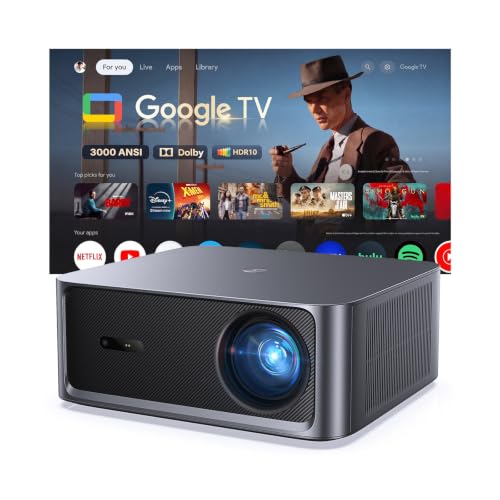 HAPPRUN 3000 ANSI Outdoor Projector with Google
|
7.8/10 | Buy |
What Brightness Number Outdoors Really Depends On
There isn’t one correct lumen figure for outdoor viewing. A darker yard and a smaller screen need less light than a dusk party on a large screen. The rating on the box only becomes useful when you compare it with the conditions where you’ll use it.
ANSI lumens, defined
ANSI lumens is a standardized way to measure how much light a projector puts out. It is a more meaningful number than unlabeled lumens, which can be inflated by loose testing. Manufacturers should state the measurement basis, and a rating that says ANSI is more comparable across models.
Even so, a rating describes the projector in lab conditions, not your yard. The same projector looks brighter on a small screen in the dark and dimmer on a large screen with ambient light. Treat the rating as a starting point.
Why outdoors is harder than indoors
Indoors, you can close curtains and turn off lights. Outdoors, you control very little. Twilight, a bright moon, neighbors’ lights, and nearby streetlamps all add stray light to the screen, which lowers contrast and washes out dark scenes.
Screens outside also tend to be larger, since a backyard has space and groups of people watch together. A larger picture spreads the same light over more area, so it gets dimmer as it grows. That is why outdoor setups usually benefit from more brightness than a bedroom setup.
What the Supplied Listings Say About Brightness
The listings in this guide give very different information. Some state a number, some imply one, and some say nothing specific. Reading them carefully avoids confusion.
Listings with ANSI figures
The two HAPPRUN outdoor listings state 3000 ANSI lumens. One describes it as bright, clear viewing with vivid colors even in rooms with ambient light. The other says the picture stays clear and vibrant in rooms that aren’t completely dark, and mentions a screen up to 300 inches.
The WiMiUS P62 Pro listing states 600 ANSI. It is listed with native 1080P, 4K support, HDR10, and modes that include High for slightly lit rooms and Standard to save power. That wording shows the maker’s own framing, which is a dim-to-slightly-lit room rather than a bright space.
Listings without a clear ANSI figure
The Dxyiitoo listing describes native 1080P with a 10,000:1 contrast ratio and a screen size of up to 300 inches, but it doesn’t give an ANSI figure in the text. The AuKing listing talks about brightness in strong terms, but the text doesn’t state a number either. Without a figure, you can’t compare it with the others.
When a listing leaves out the ANSI rating, treat the brightness claim as unverified. Ask the seller, or check the manual. A claim that says only high brightness isn’t a measurement.
Matching Lumens to Your Conditions
Think about when you watch, how big the picture is, and how much stray light reaches the screen. Those three factors drive the amount of brightness you’ll want. Answer them honestly before you compare ratings.
Full dark versus dusk
After full dark, a lower-brightness projector can look fine, because there is little ambient light competing with the image. At dusk, residual sky glow and nearby lights lower contrast, and a brighter projector keeps the picture punchy. If you want to start before sunset, plan for more brightness or a darker corner of the yard.
You can improve a dusk setup without changing the projector. Place the screen in shade, away from lamps, and point it away from the brightest part of the sky. Even a fence or a row of shrubs makes a difference.
Screen size
The same projector produces a dimmer picture on a larger screen. The listings mention screen sizes up to 300 inches, but a bigger size isn’t always better for brightness. A smaller picture concentrates the light and holds up better in less than ideal conditions.
If you are close to the limit of your projector’s brightness, shrink the picture. You lose a bit of size and gain a clearer image. The projector’s zoom or distance from the screen controls this.
Nearby lights
Porch lights, patio lamps, and streetlights all reduce contrast. Turn off what you can, or angle lights away from the screen. String lights can look nice, but they add glow, so keep them behind the audience.
Even a small light shining on the screen’s surface can wash out dark scenes. That is more important than shaving a few hundred lumens off a spec sheet. Control the light first, then judge the projector.
Comparing 600 and 3000 ANSI
A 3000 ANSI rating is five times a 600 ANSI rating, based on the numbers alone. That doesn’t mean the picture looks five times brighter, because perception doesn’t scale that way. It does mean the higher-rated projector has far more light to work with.
What the difference means in practice
With a lower rating, you’ll depend on darkness and a modest picture size. The 600 ANSI listing frames its High mode as suited to slightly lit rooms, which suggests it is meant for controlled lighting. In a yard, that means waiting for dark.
A 3000 ANSI projector has more headroom for ambient light and larger images, based on the manufacturer’s claims. The listings mention use in rooms that aren’t completely dark, and a screen size up to 300 inches. Those are manufacturer statements, not measured results, so verify with your own conditions.
Trade-offs of more brightness
Brighter projectors tend to run their fans harder, draw more power, and cost more, though the listings don’t give figures for noise or power. If you are considering a higher-brightness model, check the listing for fan noise information. The Dxyiitoo listing mentions an efficient heat dissipation system to reduce fan noise, while the others don’t state noise figures.
Brightness also doesn’t fix other limits. A projector with high lumens but a low-contrast image still looks washed out. Look at resolution, contrast, and the surface you’re projecting onto.
Resolution, Contrast, and the Rest of the Picture
Lumens are only part of the picture. Resolution and contrast shape what you see when the brightness is adequate.
Resolution claims
The WiMiUS and AuKing listings describe native 1080P with 4K support. That means the projector accepts a 4K signal and displays it at 1080P, according to the AuKing text. The Dxyiitoo listing also describes native 1080P compatible with 4K.
The HAPPRUN listings mention 4K decoding, and one describes it as 4K decoding at a native 1080P display. Native resolution is what the projector actually shows. A 4K label usually refers to input support rather than panel resolution.
Contrast and HDR
Contrast ratios in the listings range from 10,000:1 for Dxyiitoo to 20,000:1 for one HAPPRUN model. These are manufacturer figures, and contrast outdoors is limited by ambient light regardless of the number. HDR10 and HDR10+ labels mention support for the format, which helps in dim conditions more than in a bright yard.
In practice, contrast matters most after dark. In a bright setting, stray light lifts the black level and flattens the picture whatever the spec sheet says.
Reading words like true and real
Several listings add adjectives to their brightness claims. The HAPPRUN text says true 3000 ANSI lumens, and the WiMiUS text says real 600 ANSI. Those words suggest the makers want to separate their numbers from inflated ones, but they still describe a manufacturer claim, not an independent measurement.
A stated ANSI figure is the most comparable piece of data in these listings, but it still needs context. Ask what mode produced the number, since a bright mode can look different from a cinema mode. If a seller can’t answer, lean on the setup tips below and keep your expectations conservative.
Light source and longevity
The Dxyiitoo listing describes an LED light source and cites a rated life of 100,000 hours for the LED beads. That is a manufacturer figure, and real-world use varies with heat and care. The listing doesn’t describe a replaceable lamp, so confirm the maintenance details with the seller before assuming anything about long-term upkeep.
Setup Choices That Stretch Your Lumens
Placement and surface can add to or subtract from the brightness you perceive. A few choices cost nothing.
Screen surface and placement
A white, taut screen reflects more light than a wrinkled sheet. Position the screen away from lights, and angle it so the audience sits in front of it rather than far off to the side. Wind causes ripples, so anchor the screen according to its instructions.
Keep the projector at the distance that gives the picture size you want, and avoid placing it where people walk through the beam. The auto focus and keystone features in several listings can help you square the image quickly.
Safety and power
Run power cords where nobody will trip, and keep the projector off wet grass. Protect it from rain and dew, and follow the manufacturer’s guidance for outdoor use. Keep the vents clear so it doesn’t overheat.
Never look into the lens while the projector is running. Block the beam with your hand or position it above the audience’s eye line if kids are around.
Choosing a Lumen Target for Your Yard
Start with the conditions you’ll face most often. If you watch after dark with a medium screen and few lights, a lower rating can be enough. If you start at dusk or want a very large picture, look for a higher ANSI rating that is stated clearly.
Compare listings that state ANSI figures, and be wary of ones that don’t. Control stray light and picture size, and the number on the box matters less. A well-prepared yard makes almost any projector look better.
About the author
Outdoor viewing is its own problem: stray light, wind, bugs, and neighbors. I write about what makes a backyard movie night work, from how many lumens the evening really asks for to screen choice, placement, and sound. I look for practical answers over marketing language and I flag claims that only make sense in a dark basement. My notes follow the site's review methods: research-based comparison, not lab testing.