
How to Hang a Projector Screen From a Drop Ceiling Safely
How To Hang A Projector Screen From A Drop Ceiling: why tiles can't carry a screen, safer anchor points, and screen types that suit the job in October 2026.
 By Priya Raman
Updated
By Priya Raman
Updated

A drop ceiling looks like an easy place to hang a screen: it’s flat, it’s overhead, and it’s right where the projector beam needs to be. The problem is that those tiles and the thin metal grid holding them were built to carry the ceiling itself, not the weight and pull of a pull-down screen. Hang a heavy screen from them and it can sag, swing, or come down. Nobody wants a dented tile or a screen on the floor halfway through a movie.
The safe answer to how to hang a projector screen from a drop ceiling is almost always to anchor to something solid above or beside the ceiling instead. That might be structural framing above the tiles, a wall, or a freestanding option. This guide draws on the screen listings, including mounting notes from the manufacturers, and keeps the advice conservative, because the right hardware depends on your building and a qualified installer should handle anything involving the structure overhead. Nothing here comes from hands-on testing.
| Award | Product | Best Projector Reviews Score About Best Projector Reviews ScoreBest Projector Reviews Score is a comparison aid based on available product information, not a hands-on testing result. Read our review methods. | |
|---|---|---|---|
| Best Overall |
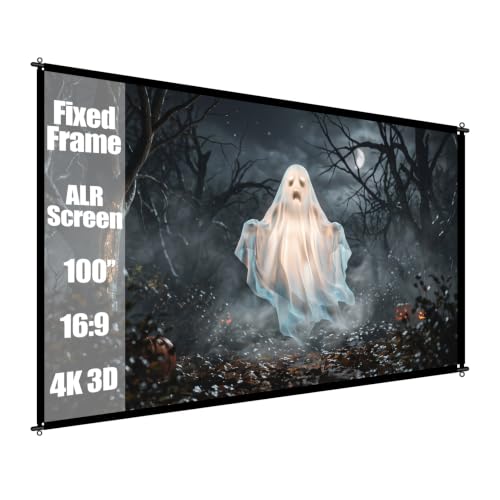 100 inch Fixed Frame Projector Screen
|
9.2/10 | Buy |
| Best Budget |
 72 Inch 16:9 Foldable Projection Screen
|
8.8/10 | Buy |
 MageScreen 120" 16:9 Manual Projector Screen Pull
|
8.1/10 | Buy |
Hanging a Projector Screen Below a Suspended Ceiling
Don’t hang a projector screen from the drop ceiling tiles or the grid itself. A screen needs a solid anchor, and a suspended ceiling system isn’t designed to be one. The safer options are to attach the screen to structure that’s rated for the load, to use the wall, or to pick a screen style light enough for its own hanging hardware.
Everything below follows that order: why the grid is the wrong anchor, which screen type makes sense, how to size it to the room, how to hang it safely, and how to check the result. Specifications come from the listings, and nothing here comes from hands-on testing.
Why the Tile Grid Isn’t an Anchor
Ceiling tiles are lightweight panels that rest in a grid. The grid hangs from wires attached to the structure above, and those wires are sized for the ceiling’s own weight. A screen housing adds weight at one point, and a pull-down screen adds a sudden tug every time someone lowers or retracts it.
Using a clip to hang a light object from the grid is a different matter from loading it with a full screen. Even then, many manufacturers rate their hardware only for small decorative items. If you’re unsure, treat the grid as off-limits for anything with a motor, a metal case, or a frame.
Tiles can also crack when drilled or screwed into, and a damaged tile is visible forever. Fixing one often means replacing it, and matching old tiles can be a pain. That alone is a good reason to look for another anchor.
Matching the Screen Style to a Drop-Ceiling Room
The listings cover three very different styles, and each one hangs differently. The 100 inch Fixed Frame Projector Screen uses metal rods on all four sides that lock into a rectangle, with an elastic fabric stretched across. The listing says one person can assemble it with threaded rods and four screws, and that it can be wall-mounted or secured outdoors with ropes that aren’t included.
The 72 Inch 16:9 Foldable Projection Screen is a soft screen with pre-punched hanging holes along the top edge and included hooks. The listing describes it as foldable and lightweight, and compatible with front and rear projection. Its light build may suit rooms where heavy hardware isn’t practical, though it still needs a secure anchor point on a wall or frame rather than a ceiling tile.
The MageScreen 120″ 16:9 Manual Projector Screen Pull is a manual pull-down model with a multi-position auto-lock and a metal housing. It includes brackets for wall or ceiling mounting. The listing is specific about one thing: it says you must anchor to wood studs or concrete, and that mounting to drywall alone is unsafe and not supported.
That last note matters for a drop ceiling. A pull-down housing is the heaviest of the three, so it needs the strongest anchor and the most careful planning. A lighter fixed frame or soft screen gives you more flexibility.
Sizing the Screen to the Ceiling Height and Seating Distance
Screen size depends on the room, not on what looks impressive in a listing. Suspended ceilings are often lower than standard ceilings, so measure from the floor to the ceiling tiles first. A pull-down screen needs its housing above the viewing area and enough drop to clear furniture.
The MageScreen listing gives useful figures: a 120-inch diagonal, a frame of about 110.2 by 59.2 inches, and a recommendation of roughly 10 to 12 feet viewing distance. Those numbers show how much wall width and height the screen needs, and they’re a good example of why you measure before ordering. A 72-inch foldable screen at 1.59 meters wide and 0.90 meters tall, per its listing, suits a smaller room.
Check the projector’s throw ratio in its manual too. The throw ratio tells you how far back the projector sits for a given screen width, so the projector’s position, the screen’s size, and the room’s depth all have to agree. If the numbers don’t line up, a smaller screen or a different projector position is the fix.
Safer Ways to Hang the Screen
The most dependable approach is to anchor into structure that was built to carry weight. That could mean wood studs or concrete on a wall, or structural framing above the tiles, as the MageScreen listing’s wording suggests. Use the hardware the manufacturer supplies or specifies, and check the weight rating on the product page.
For ceiling-level hanging above a suspended ceiling, bring in a qualified installer. Reaching structure above the tiles means working in a ceiling cavity that may contain wiring, ducts, or sprinkler lines. A pro can find the right anchor point, pick rated hardware, and avoid hazards you can’t see from below.
If a ceiling anchor isn’t practical, move the screen to the wall just below the ceiling line. A wall-mounted fixed frame or a hooked soft screen can sit high enough to keep sight lines clear without touching the grid. A freestanding or floor-standing screen is another way to avoid the ceiling altogether.
Hanging a Soft or Fixed-Frame Screen by Its Own Hardware
For the foldable screen, the listing describes pre-punched holes and hooks for a wall or frame. Choose a spot on a wall stud or a solid frame, set the hooks level, and hang the screen from all of them so the weight spreads. Smooth out any creases from storage before hanging, since a wrinkle will show in the projected image.
For the fixed frame, assemble the rods and screws as the listing describes, then mount it to the wall using hardware suited to your wall type. The listing mentions Velcro strips for corners that lift if the tension is uneven, which is worth using if the fabric looks slightly wavy. Keep it away from heat sources, direct sunlight, and anything that might brush the fabric.
In both cases, hold the screen in place first and check alignment from the seating area before drilling or hanging. Marking the position with painter’s tape is a cheap way to catch a mistake early.
Quirks of a Suspended Ceiling That Affect the Screen
Suspended ceilings usually hide things that a screen location has to avoid. Light panels, air vents, and sprinkler heads tend to sit in the grid, and a screen housing that blocks any of them can cause problems. Sprinkler heads in particular need clear space around them, so don’t hang anything where it could interfere with one.
Air vents matter for the picture too. A draft from a supply vent can make a loose soft screen ripple, which shows up as a wobble in the image. Position the screen away from direct airflow, or choose a fixed frame that holds its fabric tight.
Overhead lights also wash out a projected image. Fluorescent panels directly above the screen throw light onto its surface, so see whether you can switch those lights off separately from the rest of the room. A dimmer circuit or a row of lights nearest the screen on its own switch helps a lot.
Projector Placement Near the Same Ceiling
A drop ceiling creates the same weight problem for a projector as for the screen. A ceiling-mounted projector also needs a bracket that matches its weight and is anchored to structure, again with the manufacturer’s guidance and a qualified installer for ceiling work. Don’t use the tiles or grid for support.
A tabletop or cart placement avoids the problem and makes adjustments easier. Keep the vents clear so the projector can cool properly, and leave room behind it for cables. Run cables where they won’t be tripped over, and keep power cords away from high-traffic spots.
Cleaning is simple but worth knowing. The fixed-frame listing says the white fabric wipes clean with water, which helps if dust settles on a screen that hangs for a long time. Use a soft cloth and light pressure, and check any other screen’s care notes first since fabrics differ.
What to Check After It’s Hung
Look at the screen from several seats. The fabric should hang straight, the edges should be parallel to the projected image, and the screen shouldn’t move when someone walks by. A gentle nudge test is enough: if it swings, adjust the anchor or the tension before movie night.
Then power up the projector and fit the image to the screen. Use the projector’s focus, zoom, and keystone settings, and prefer to move the projector over relying on heavy keystone correction, which can soften the picture. The MageScreen listing mentions a 1.2 gain matte white surface with black borders, and the fixed-frame listing mentions black borders that absorb stray light, which can help the picture look contrasty in a darkened room.
Room light still matters. A projector’s ANSI lumens rating and a screen’s gain only go so far against windows and overhead lights, so dim the room or close the blinds for the best result.
Matching the Plan to Your Ceiling
If you can reach a wall stud or concrete, the pull-down model’s own instructions give you a clear path. If you can’t, a lighter soft or fixed-frame screen on a wall mount is easier to hang safely. Whatever you choose, keep the tile grid out of the load path.
Before you buy, measure the ceiling height, the wall width, and the viewing distance, then compare them to the screen’s listed dimensions and the projector’s throw ratio. If the plan involves anything above the tiles, ask a qualified installer to confirm the anchor and the hardware.
About the author
A good screen can change a picture more than a small projector upgrade, and it is the part many buyers skip. I write about screen materials, gain, ambient light rejecting designs, and how room lighting, wall color, and seating position change what you see. I try to keep the advice grounded in what a normal room looks like, not an ideal one. My notes follow the site's review methods: research-based comparison, not lab testing.